Opinions expressed on this blog are my own and do not represent any other organization or affiliation I may have.
Showing posts with label educreations. Show all posts

Friday, 31 May 2013

Student Digital Portfolios for assessment and learning

Really enjoyed this blog post on Assessment using Student blog-portfolio's: http://plpnetwork.com/2013/05/30/digital-porfolios-thinking-assessment/

It is unfortunate that many schools don't have the capabilities to do this (not enough ipads, laptops, computers in classroom, bandwidth, wi-fi, money, etc.) but I do like the idea. I have used forums and such for independent novel studies and interactive class activities in the past, but I would love to use blog portfolio's for students. It would be interesting for them as well to have and be able to look back on.
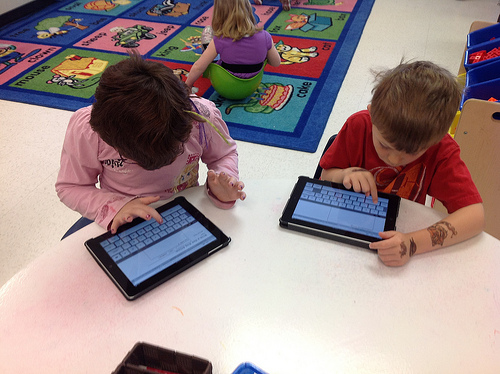


The post explains:

Verbal explanations
I have always used formative assessment in my classroom, but our digital portfolios give me much richer information than our paper portfolios ever did. Because my young students are still beginning writers, it is often difficult for them to explain their learning through writing. They can, however, explain their learning verbally. There are lots of apps (including my current iPad favorites Educreations and Draw & Tell) that record voice over an image. These digital artifacts allow me to understand a child’s thinking in a much deeper way.

The beauty of digital portfolios is that as the children and I are constantly assessing their learning in a formative and summative way, the students are also demonstrating their growing knowledge for a wide audience and learning about digital citizenship and appropriate online behavior. What great by-products of the assessment process! 

Please check out the entire article here: http://plpnetwork.com/2013/05/30/digital-porfolios-thinking-assessment/

Saturday, 18 May 2013

J.K. Rowling's spreadsheet plan for Harry Potter Order of the Phoenix - Pre-Writing is important!

I love this... One of J.K. Rowling's brainstorm / planning sessions for her novel. Show this to students to show the extent of pre-writing and how important it is!


Sometimes kids (and grown-ups) think books "magically" appear fully written. Show your students J.K. Rowling’s spreadsheet plan for Harry Potter and the Order of the Phoenix to help them see the work and planning that goes in to writing! (from flavorwire.com/)

Tuesday, 12 February 2013

ipad apps for interactive and engaging classroom


Engaging Presentations using ipad apps writes:

If you are tired of PowerPoint and Keynote, it's easy to change up your normal routine. As much as I love these presentation tools, it's important to keep my audience engaged, and often a quick deviation from the usual is the perfect trick.
There are so many fantastic free iPad apps that are great for the classroom. Whether you have access to a single iPad that you use to create presentations for your students, or your students are creating their own presentations in a 1:1 classroom, you'll want to add these to your must-have list!

  1. Haiku Deck - feels a bit like powerpoint slides, but short bits of text
  2. Prezi - Great for presentations, like a slide show but on one page that zooms in and out of sections to show presentation.
  3. Screencasting - copies screen and allows voice integration. Great for showing a lesson.
  4. Educreations - works like a SMARTboard on your ipad
  5. Screenchomp - copy screen easily
  6. Doceri - screencasting, desktop control, and an interactive whiteboard combined into one
  7. Snapguide - create step by step guides
I have only used two of these before (Prezi and Screenchomp) so I found this list exciting to read about.

Have you used any of these in  your classroom? Tell us about it!!


A lot of the new edu-blogs I follow do this link-up thing, so I thought I would give it a try... add your link to a technology blog post you have: